Magento's biggest structural advantage is that one installation can serve several storefronts — different languages, different brands, different currencies, different catalogues — from a single codebase and admin. Its biggest structural trap is that this only works cleanly if you choose the right level of the hierarchy before you build, because moving between levels later means re-doing configuration, URLs, and often customer data.
This guide explains what each level actually controls and gives you a decision rule.
The Hierarchy, From the Top
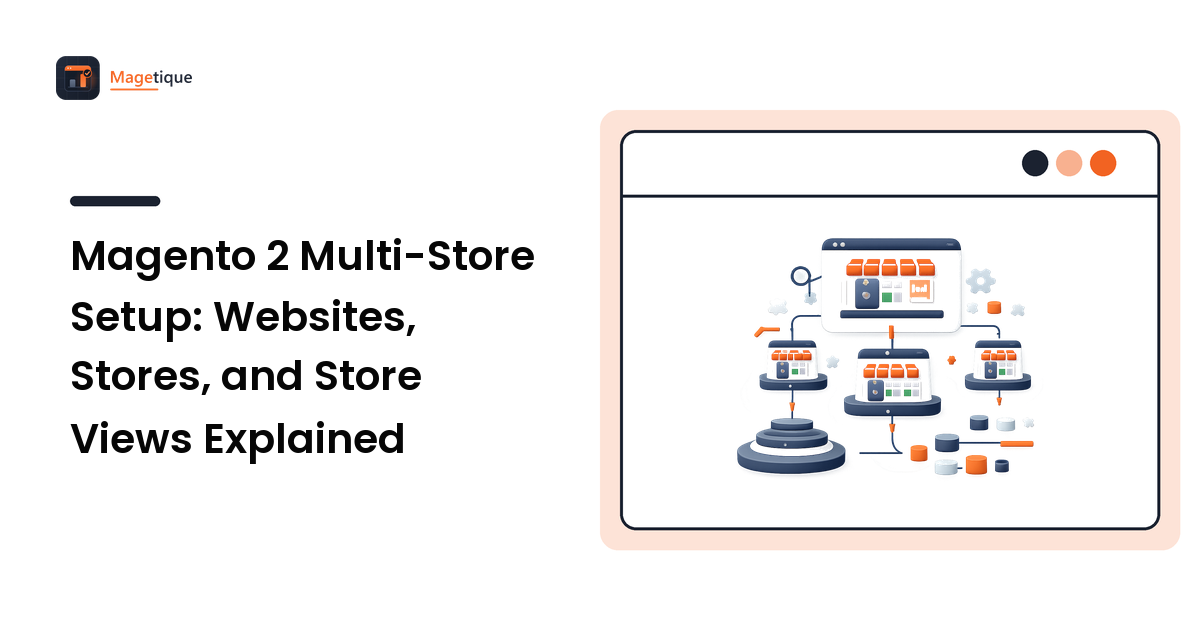
Magento nests four scopes:
Global (default). The installation itself. Settings here apply everywhere unless something below overrides them.
Website. The highest level you can split. Websites are the boundary for customer accounts and, if you configure it that way, for product prices. They're also the level that maps to a separate domain in most setups, and — importantly for anyone selling physical goods — the level that stock is assigned to.
Store (store group). An organisational layer between website and store view. Its one job that matters: a store group holds the root category, which determines the catalogue tree that its store views display. Different root category, different catalogue.
Store view. What the customer actually sees. Store views control language and locale, and are the level intended for presentation differences over the same catalogue and the same prices.
The single sentence that resolves most confusion: store views are for presenting the same store differently; websites are for running a genuinely different store.
Which Level Do You Need?
Work through it in this order.
Do you just need another language? → Store views. Same products, same prices, same customer accounts, different locale and translations. This is the cheapest option by a wide margin, and it's what the multi-store feature is best at.
Do you need a different catalogue for the same brand? → A second store group under the same website, with its own root category. Customers and prices stay shared.
Do you need different prices, currencies, stock, or separate customer accounts? → A second website. This is the heavier option: more configuration, more testing, and every future change has to be checked at website scope.
Do you need a genuinely separate brand with its own theme, team, and roadmap? → Consider a separate installation. Multi-store shares a codebase, a database, and an upgrade schedule. Two brands that will diverge in extensions and release cadence are often better apart, and the shared-upgrade risk is real — one breaking extension update takes down every storefront at once.
That last trade-off is the one most often underestimated. Multi-store saves on hosting and admin overhead and costs you independence.
Configuration Scope: The Thing That Bites
Nearly every setting in Magento's admin can be set at default scope and then overridden lower down. In the admin, you switch scope with the selector at the top-left of the configuration page, and overriding a field means unticking "Use Website"/"Use Default" next to it.
Three rules that save hours:
- Set everything you can at the default scope, and override only what genuinely differs. A setting duplicated at three scopes has to be changed in three places forever.
- Values fall back upward. A store view with no override inherits from its website, which inherits from default. When a storefront shows a value you didn't expect, check the scope above it before assuming a bug.
- Product attributes have scopes too — global, website, or store view — and the scope is a property of the attribute, not of the product. Name and description are typically store-view scope so they can be translated. Price is the important one: whether price is global or website-scope is a catalogue setting, and changing it after you've entered data is disruptive. Decide it before you load the catalogue.
Inventory deserves its own note. Magento's inventory system assigns stock to sales channels, and websites are the sales channels. If you want two storefronts drawing on genuinely separate stock, that's a website-level split with its own stock assignment — not something you can achieve with store views.
URLs: Three Ways to Route Storefronts
How customers reach each storefront is a separate decision from the hierarchy.
Store code in the path. Enabling "Add Store Code to URLs" gives you example.com/fr/. Quickest to set up, no additional DNS, and reasonable for language variants of one brand. The URLs are less tidy, and the store code becomes visible in every link.
Separate subdomains or domains. Set a different base URL per website or store view, and configure the web server to select the right storefront by pointing MAGE_RUN_TYPE (website or store) and MAGE_RUN_CODE (the code) per virtual host. This is the standard production approach for multi-brand or multi-country setups. It's also where most first-time multi-store deployments break: the admin can be perfectly configured and the site still resolves to the default storefront because the server variables weren't set for that host.
Language switcher on one domain. Often combined with the path approach, and fine — just make sure the switcher links to the equivalent page in the other store view rather than dumping everyone on the homepage. That's a conversion detail people notice.
Whatever you choose, get the base URLs, secure base URLs, and cookie domain right at the correct scope. Cookie domain misconfiguration across subdomains produces the classic symptom: customers being logged out or losing their cart when they move between storefronts.
SEO for Multi-Storefront Setups
Multiple storefronts serving similar content is a duplication question, so handle it explicitly:
- Canonical URLs. Enable canonical tags for products and categories, and confirm each storefront canonicalises to itself, not to the default store.
- Language and region annotations. Search engines need to be told which storefront serves which audience. Check what your Magento version and theme actually output in the page source or sitemap, and add the annotations if they're absent — don't assume they're there because the store views exist.
- A sitemap per storefront, generated at the right scope, listing that storefront's URLs.
- Consistent URL keys. Product and category URL keys are store-view-scoped, so a translated URL key in one view and the default in another is normal — just make sure it's intentional rather than half-done.
Our guide to translating a multilingual store covers the content side of this in more depth.
Before You Build: A Short Checklist
- [ ] Decide the price scope (global vs website) before loading the catalogue.
- [ ] Decide whether customer accounts are shared globally or per website.
- [ ] Map each storefront to a website / store group / store view and write it down.
- [ ] Assign a root category per store group.
- [ ] Plan stock: shared, or split by website.
- [ ] Choose the URL strategy and prepare the web-server configuration for it.
- [ ] Decide which theme applies at which scope — themes are assigned per store view.
- [ ] Plan tax, shipping, and payment methods per scope; these commonly differ by country and are easy to forget until launch week.
- [ ] Test in a staging environment with the same host-based routing as production.
Then run the whole thing through a proper pre-launch pass — our Magento 2 launch checklist covers the go-live verification.
Frequently Asked Questions
What's the difference between a website and a store view in Magento? A website is a boundary for customer accounts, price scope, and stock; a store view is a presentation layer for language and locale over the same catalogue. Use store views for translations, websites for genuinely separate stores.
Can I use a different domain for each store?
Yes. Set the base URLs at the appropriate scope and configure the web server to pass the correct MAGE_RUN_TYPE and MAGE_RUN_CODE for each host. Both halves are required — admin configuration alone won't route traffic.
Can each storefront have its own theme? Yes, themes are assigned per store view, which is what makes store views useful for more than translation.
Do customers share accounts between websites? It depends on the customer account sharing setting: global sharing lets one account work across all websites, per-website sharing keeps them separate. Choose deliberately — changing it later affects existing customer data.
Is multi-store better than separate installations? Multi-store is cheaper to host and administer and keeps one catalogue and one admin. Separate installations give independence in upgrades, extensions, and release schedules. If your storefronts will diverge substantially, separate is usually safer.
Decide the Architecture, Then Build Once
Multi-store is one of the strongest reasons to run Magento — and one of the most expensive things to get wrong, because the fix is rarely a setting. Map your storefronts to the hierarchy on paper, settle price scope and customer sharing before any data is loaded, and prove the routing in staging.
If you're still weighing whether this belongs on Magento at all, compare e-commerce platforms side by side on Magetique before you commit to an architecture you'll live with for years.