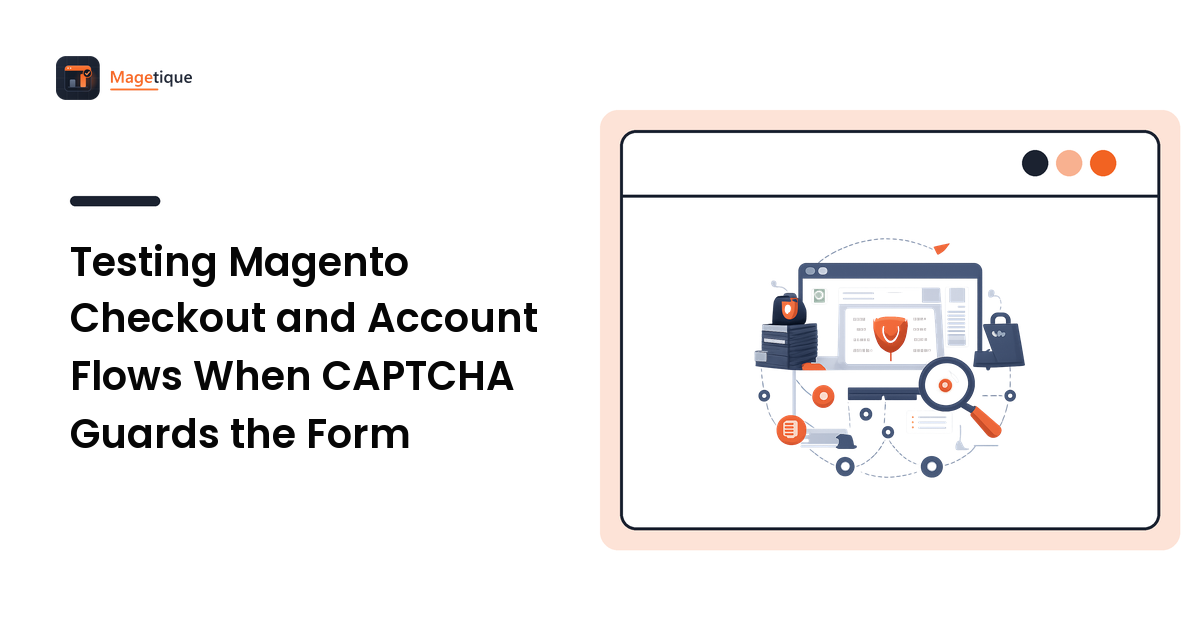
Two weeks before launch, someone works through the pre-go-live security checklist and switches on CAPTCHA for customer login, account creation, and place-order. Sensible. Then the nightly regression suite goes from 140 passing to 11, because every scenario that involves a logged-in customer now stops at a widget the test runner cannot answer.
The fix is not to delete the tests, and it is not to leave CAPTCHA off until after launch and hope someone remembers. It is to treat the setting as environment configuration under version control, prove it is on where it matters, and design exactly one narrow, authorized path for the checks that genuinely have to run against the live store.
What Magento 2 actually gives you
Two independent systems, often confused, sometimes both enabled by accident:
Built-in CAPTCHA (Magento_Captcha) — the distorted-text image. Configured at Stores → Configuration → Customer → Customer Configuration → CAPTCHA for the storefront, and Advanced → Admin → CAPTCHA for the admin panel. The "Forms" multiselect controls where it appears: create user, login, forgot password, checkout as guest, contact us, and so on. There is also a "Display Mode" option — always, or only after a set number of failed attempts, which is the more usable setting for login.
Google reCAPTCHA (Magento_ReCaptcha*) — configured at Stores → Configuration → Security → Google reCAPTCHA Storefront (and a separate Admin Panel section), with per-form toggles for customer login, account creation, forgot password, contact, product review, newsletter, wishlist sharing, coupon codes, and place order.
If both are enabled for the same form, shoppers get two challenges. That is a real conversion bug and worth checking before you worry about the tests at all — the checkout optimization guide covers the friction budget a checkout can actually afford.
Configure per environment, and put it in version control
The mistake that causes the most pain is toggling these in the admin UI. Admin toggles live in the database, so they travel with a database dump — which is exactly how production's configuration ends up in staging and vice versa.
Set them from the CLI, scoped to the environment, and dump them into the repo:
bin/magento config:set customer/captcha/enable 0
bin/magento config:set recaptcha_frontend/type_for/customer_login 'invisible'
bin/magento config:set recaptcha_frontend/type_for/place_order ''

# capture the resulting config into app/etc/config.php, which IS committed
bin/magento app:config:dump
Keys and secrets are a separate matter — use bin/magento config:sensitive:set (or environment variables via app/etc/env.php) so the site key and secret key never enter the repository. Google publishes reCAPTCHA test credentials that always verify successfully; those are the right values for a non-production environment, and because they are public by design they belong in your environment config rather than your secret store.
The payoff is that a deploy sets the state explicitly instead of inheriting whatever the last database restore happened to contain.
Now assert the opposite in production
An environment flag that silences a security control is one careless merge away from shipping. So invert the test. Add a check to your post-deploy suite that asserts CAPTCHA is enabled on production:
// smoke test, runs against production after deploy
$html = $client->get('/customer/account/login')->getBody();
$this->assertStringContainsString('g-recaptcha', $html,
    'reCAPTCHA missing from production login — a staging config was promoted');
This costs nothing and converts a silent security regression into a red build. Put it alongside the other post-deploy assertions in your Magento 2 launch checklist — it belongs in the same group as "is the store in production mode" and "is the admin URL still non-default."
The checks that must run on the live store
After launch you still want a synthetic answer to one question: can a real customer place an order right now? That check has to exercise the real storefront with the real protection in place, because a checkout that works with CAPTCHA disabled proves nothing about the checkout your customers see.
Three options, in order of how much they cost you:
1. A test path exempt at the edge. If your WAF issues the challenge, a skip rule scoped to a secret header lets a probe through. Cheapest, but it doesn't help when the challenge is Magento's own reCAPTCHA module rather than the edge, and it means the probe is no longer testing the customer's path.
2. reCAPTCHA v3 with a tuned score threshold. v3 is scored rather than interactive, so a well-behaved headless probe using a stable test account may clear it. Fragile — you are one threshold change away from a broken monitor — but worth trying first because it requires no new dependency.
3. Resolve the challenge programmatically. When the verification step is intrinsic to the flow you are validating, a solving API turns it into an ordinary async call inside the test. CaptchaAI is one service built for this: the probe submits the site key and page URL, gets a task id back, and polls a result endpoint on a fixed cadence — around every five seconds, per its documentation — until a token is returned, which the test injects into the form before submitting. CaptchaAI states the interface is drop-in compatible with the in.php / res.php request shape most existing client libraries already speak, so wiring it into a PHP or Node test harness is a configuration change rather than a new integration.
Design your timeouts from the published ceilings rather than from a hopeful average. CaptchaAI states solve-time ceilings of under 4 seconds for reCAPTCHA v3, under 10 seconds for Cloudflare Turnstile, and under 60 seconds for reCAPTCHA v2, alongside a stated success rate above 99% and a 99.9% uptime SLA. A 60-second worst case sitting inside a smoke test with a 30-second step timeout will page you about your own test harness.
Sizing is straightforward because the pricing is concurrency-based, not per-request: CaptchaAI states thread-based plans with unlimited solves per thread, starting at $15/month for 5 threads. A checkout smoke test running a few times an hour never approaches even one concurrent solve, so the entry tier covers this workload; the number to model is peak parallel probes, not monthly volume.
One boundary worth stating plainly: this applies to your own store, on infrastructure you control, with configuration you own. That is the same authorization basis as running a load test against your own checkout. It is not a technique for getting past someone else's protection, and nothing about the tooling changes that.
While you're in there: the performance cost
The verification scripts are third-party JavaScript on your most valuable pages. Two things worth measuring once you have the tests passing again:
- Load it only where it is needed. Magento's reCAPTCHA modules are per-form; enabling the storefront section globally can pull the script onto pages that never render a protected form. Check with a network waterfall on a category page.
- Watch the checkout LCP and INP. An interactive challenge injected into the payment step competes for main-thread time exactly when the shopper is most likely to abandon. If your Core Web Vitals moved after enabling it, that is a real regression and it is measurable.
FAQ
Should I just disable CAPTCHA and rely on the WAF? Sometimes that is the right call — edge bot management catches a broader class of traffic and costs your shoppers nothing in friction. But it is a decision to make deliberately with a look at your actual fake-account and carding rates, not a side effect of wanting green tests.
Do Google's reCAPTCHA test keys work for the admin panel too? They work wherever the module reads its configuration, but check the current Google documentation for the exact product tier you have enabled — Enterprise differs from v2/v3 classic. Never leave test keys configured on a production scope; that is what the production assertion above is for.
Is it safe to have an automated test complete a CAPTCHA on my own store? Yes, when it is your store and your configuration. Keep an explicit allowlist of the hostnames the smoke test may visit, review it like any other dependency, and use a dedicated test customer account so the traffic is easy to identify in your order data.
How do I stop smoke-test orders polluting my reports? Use a dedicated customer account and a test payment method, tag those orders with a custom attribute, and exclude that attribute in your reporting and in any downstream ERP sync. Do this before the first run, not after the first month-end close.
Next step
Work it in order: set CAPTCHA per environment via CLI config, commit the dump so deploys are deterministic, add the production assertion that it is still enabled, and only then decide how the one post-launch checkout probe gets through. If option three is the right answer for your store, read CaptchaAI's documentation and run it once against a staging URL you control — measure the real solve latency for your challenge type, set the test timeout from that number, and keep the integration behind a single helper you can remove later.