Before you pick a theme, you pick an architecture — and most Magento store owners don't realize they've made that choice until it's expensive to reverse. The frontend you build on sets a ceiling on how fast your store can be, decides how specialized your build team must be, and determines whether a developer two years from now can change the storefront without re-learning everything.
The takeaway up front: there are three real paths for a Magento 2 frontend — a traditional Luma-based theme, a Hyvä theme, or a headless/PWA storefront — and the right one is set by your performance ambition, your budget, and the team that maintains it, not by which is newest. Traditional is the safe default. Hyvä is the high-leverage middle path for stores that want speed without a separate frontend app. Headless is the most powerful, the most demanding, and the wrong call for most stores. Here are the trade-offs and a rule for each.
The three architectures, in plain terms
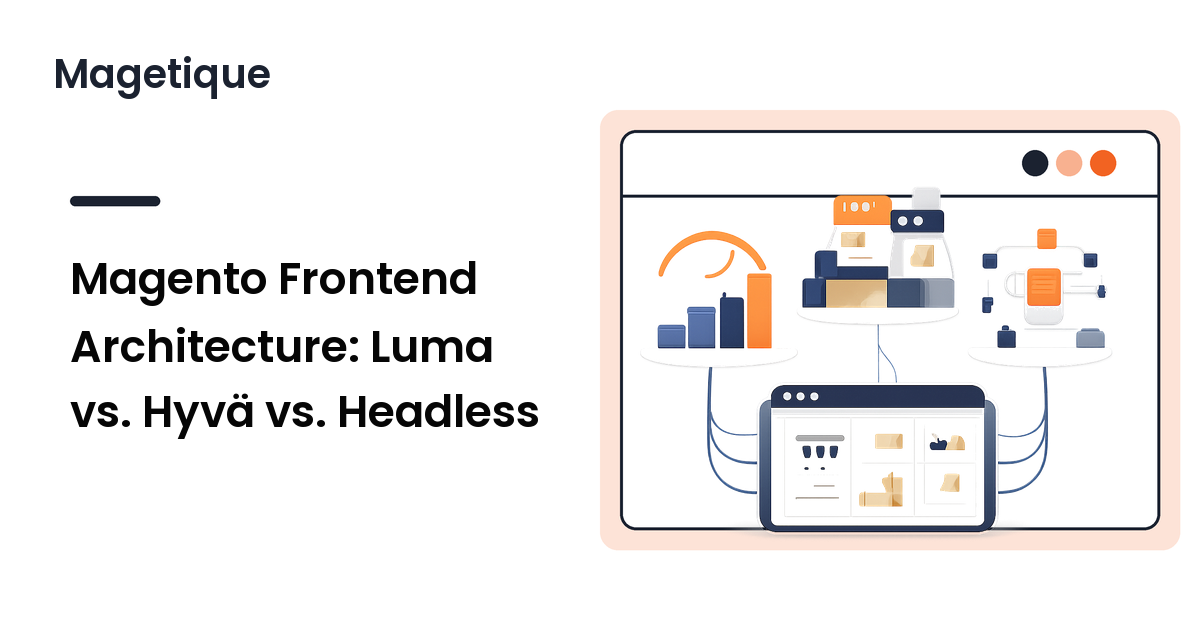
All three render the same catalog on the same backend; they differ in how the storefront is built and served.
- Traditional (Luma-based). Magento's classic stack: PHP-rendered pages, Knockout.js and RequireJS in the browser, LESS for styling. Almost every off-the-shelf theme — including most multipurpose themes — is a child of Luma or Blank and inherits this stack.
- Hyvä. A replacement theme that throws out Knockout, RequireJS, and most legacy JavaScript and rebuilds the storefront on Tailwind CSS and Alpine.js. It still renders server-side through Magento's layout and template system, so it's a theme swap, not a separate application.
- Headless / PWA. The Magento backend becomes a GraphQL API, and a separate frontend application — PWA Studio or a custom React/Vue app — renders the store and calls it. The storefront is its own codebase, deployed and scaled on its own.
The jump from traditional to Hyvä is a theme decision; the jump to headless is an architecture decision — a second application your team owns forever. Keeping that straight prevents the costliest mistake here: reaching for headless when a faster theme was the actual need.
Performance: where the differences are real
The traditional Luma stack ships a lot of JavaScript the browser must parse before the page becomes interactive — RequireJS and Knockout are the usual culprits behind a slow Largest Contentful Paint and poor interaction metrics. You can tune a Luma store hard and reach respectable Core Web Vitals, but you're optimizing against the stack, not with it.
Hyvä's premise is removing that payload. By dropping RequireJS and Knockout for Alpine.js and shipping far less JavaScript, a Hyvä storefront typically starts from a much better Core Web Vitals baseline before you've optimized anything — which is why it exists. It's the most reliable performance win available without leaving the theme layer.
Headless can be the fastest of all, because a well-built PWA controls every byte it ships and can use rendering and caching strategies a server-rendered theme can't. But "can be" is load-bearing: a poorly built PWA is slower than a tuned Luma store. Headless speed is something your team builds and maintains, not something the architecture hands you for free.
Build cost and team: what each one demands
Architecture choices are team choices — pick one your people can staff.
- Traditional has the largest talent pool and the most extensions, themes, and documentation. Almost any Magento developer can work on it, and most third-party extensions target it by default. It's the cheapest to stand up and the easiest to hire for.
- Hyvä asks your team to know Tailwind and Alpine.js instead of Knockout and RequireJS — a smaller, more modern skill set most frontend developers pick up quickly. The catch is the ecosystem: many extensions ship Luma-targeted frontend code that needs a Hyvä-compatible version or compatibility layer, so budget for adapting the ones you depend on. Hyvä is also a commercial license — a real but modest line item.
- Headless is the most demanding by a wide margin. You're building and running a separate frontend application — JavaScript-application engineers, its own deploy pipeline, and ownership of features Magento gave you for free, since much of the admin's content and merchandising tooling assumes the standard storefront. The capability is highest; so are the cost and the specialization.
The honest ranking on cost and staffing is traditional first, Hyvä second, headless a distant third — the inverse of their raw performance ceiling. That tension is the decision.
How to choose: match the architecture to the store
Rank the three by what your store actually needs.
- Default to a traditional Luma-based theme when your store is standard, your team is general-purpose Magento, and your performance needs are met by tuning rather than re-platforming. Most stores are here, and there's no prize for leaving without a reason. At this stage the work is picking a good Luma-based theme — see how to choose a Magento 2 theme before you build.
- Choose Hyvä when speed is a priority and you want a markedly faster storefront without a separate frontend app. It's the best leverage in this list: much of headless's performance benefit at a fraction of its cost and risk. The qualifier is your dependencies — confirm the extensions you rely on have Hyvä support first.
- Go headless only with a clear reason and the team to back it — a truly app-like experience, multiple frontends from one backend, or a frontend team that already lives in React or Vue. It rewards scale and specialization and punishes stores that adopt it for novelty. If you can't name a capability a theme can't give you, you don't need headless yet.
The pattern across all three: choose the least architecture that meets the need, because each step up buys capability at a real cost in money, talent, and maintenance.
FAQ
Is Hyvä just a faster theme, or a different architecture?
It's a faster theme, not a different architecture. Hyvä still renders server-side through Magento's normal layout and template system — the page is built by Magento and delivered as HTML. What changes is the browser-side stack, swapping Knockout and RequireJS for Alpine.js and Tailwind. That's why you can adopt it without running a separate application, the line that separates it from headless.
Do I have to go headless to pass Core Web Vitals?
No. A tuned traditional theme can reach respectable scores, and Hyvä typically starts from a strong baseline because it ships so little JavaScript. Headless is justified by capability needs — an app-like experience or multiple frontends — not as the only road to good metrics. Treat it as the most demanding option, not the default fix for a speed problem.
Will my existing extensions work after switching frontends?
It depends on the switch. Moving between Luma-based themes generally preserves extension frontends. Moving to Hyvä often needs Hyvä-compatible versions or a compatibility layer for any extension that renders its own frontend, since most ship Luma-targeted code — so audit dependencies first. Headless is the largest break, since extension frontends built for the standard storefront generally don't carry over.
Can I move from a traditional theme to Hyvä later instead of now?
Yes, and for many stores that's the sensible sequence: ship on a solid traditional theme, then adopt Hyvä when speed becomes a priority. A theme change is far less disruptive than re-platforming to headless, so starting traditional doesn't lock you out of Hyvä.
Is a custom React storefront the same as PWA Studio?
They're two flavors of the same headless approach. PWA Studio is Adobe's official toolkit for a React-based PWA storefront against Magento's GraphQL API — a maintained starting point. A fully custom React or Vue app is the same idea without that scaffolding: more control, more to build yourself. Both are headless, a separate frontend application talking to Magento as an API.
Next step
The frontend you build on is a commitment, so choose it on need, not novelty. A traditional Luma-based theme is the safe default; Hyvä is the strongest value for most stores that have outgrown Luma's speed ceiling and want it without a second application to run; headless is for stores with a capability that genuinely requires it and the team to maintain it. Pick the least architecture that does the job, and you'll spend your budget on the storefront instead of on regret. Explore Magetique to plan a Magento storefront on a frontend that fits your team.